Showing posts with label Xiaomi. Show all posts

Thursday, 8 March 2018

Xiaomi Mi TV 4A 32-inch cinema version wifi smart network flat-panel TV

BY Cavarii IN , , 1 comment


The Xiaomi Mi TV 4A (32 inches) uses a plastic housing with its entire body coming in black colour. As a result of the plastic body in use, the new Mi TV 4A  comes with a highly reduced weight which is just 3.9Kg, making it suitable to be easily carried around. When the base is attached to the TV frame, the weight goes up to 3.94Kg.


On the specifications, the Mi TV 4A features a 32-inch display with a resolution of  1,366 x 768 pixels and refresh rate of 60Hz. The TV has a viewing angle of 178 degrees. It is powered by a Quad-core 1.5GHz processor having four Cortex-A53 cores.

The graphic is powered by a Mali-450 MP3 GPU while the processor is supported by 1GB of RAM and there is 4GB of storage space available inside. The Mi TV 4A (32) also comes with two 5W stereo speakers while available interface includes two HDMI, an AV port, an S/PDIF output, DTMB, USB port and a connector.

The Mi TV 4A 32-inch version also runs Xiaomi TV PatchWall system meaning it has some smart features such as content recommendation according to user’s habit, seamless streaming of content and others.

Note:
This TV does not work with DVB T2 + S2 + C and only works with DTMB, the Chinese standard.   

FAQ for Xiaomi Mi TV 4A


  • What is the input voltage of Xiaomi Mi 32 inch TV 4A?
    220V - 50 / 60Hz.
  • What is the power consume on standby situation?
    Less than 0.50W.
  • Does it support hanging on the wall?
    Yes, it does.
  • What is the dynamic response of this TV?
    6.5ms.
  • Does it support Miracast, Airplay?
    Yes, it does.
  • Can it work with H.265 video?
    It can decoding H.265 video.
This item only supports Chinese menu. The default language is Chinese. There is a Patchwall UI layer on top of the Android OS that's based on deep learning AI technology, the Patchwall layer is ll in Chinese.

It can be changed to other languages after downloading the system settings APP, but the patchwall UI will remain in Chinese, only Apps that have multiple language interface will appear in English. All default pre-installed apps are in Chinese.

Thursday, 8 February 2018

Doing more on Xiaomi MiTV 4A

BY Cavarii IN , 2 comments

As the MiTV only comes with the Chinese content, most of which requires VPN services to access as the provided contents are meant for China users due to territory copyright issues, you will need to install third party apps to access the contents of yoru choice.

You can do a lot more with Xiaomi TV with the following:

Note: as the Patchwall UI keeps on changing, some of the features and videos below are based on the time of this post were written, and may be different by the time you are reading it.

1) Changing the System settings to english

In the following video you can see how to change from Chinese to English on Xiaomi Mi TV 4A.

Please note that only the relevant system settings UI will be changed to English, all other Apps that comes with Xiaomi will remain in Chinese, as these apps do not provide English version in their UI.

Download startSettings app by the link: https://goo.gl/T9H9KK


2) Control your TV with your handphone with MiTV Assistant


Xiaomi's MiTV Assistant App is designed specifically for Xiaomi users with IOS or Android smartphones or tablets.

Major functions:
a) Screencast - you can easily browse, search for massive video library, video collection, or projected onto a button to start playing on your TV.

b) Can be used as a virtual remote control on MiBox or MiTV. Using the remote functions to operate the TV by sliding, flipping and can operate with your eyes closed.

c) Screen capture function - through the screenshots button, you can at any time, intercept TV content by capture screenshots, and share to friends on social media

d) Search through the App for TV contents - and screen cast to the TV

Note - The phone and MiTV must be on the same network for the App to work


3) Installing third party Apps

a) Live NetTV - Live NetTV provides 800+ live TV channels in 9 categories which are: Sports, Entertainment, News, Movies, Documentary, Cooking, Music, Kids and Religious. The service is absolutely FREE.

b) Movie HD - This App allows users to Watch and Download their favorite Movies and TV Shows for free. It is an app for everyone to enjoy latest Movies and TV Shows for FREE.

Note - need to get activation code if you don;t sign in with google Account, read here

c) Redbox TV - RedBox TV is a FREE live streaming App where you can watch your favorite TV channels anytime. It has 1000+ live channels from 15 different countries

d) Mopdro - Mobdro App is one of the most popular apps in the market know for its services. With Mobdro APK, Android device users can access shows, TV channels and other programs without any subscription.

e) UKTV Now - UkTVNow is the best live video streaming application for the Android platform. You can browse live TV channels from countries like Canada, France, United Kingdom, United States, Germany, India, Spain, Italy, Pakistan etc.

f) Freeflix HQ - FreeFlix HQ is a free content streaming app that lets you watch Movies, TV Shows, Anime, Live TV and more.

g) VPlayer 7.0 - VPlayer for Android is the leading free Multimedia player for the Android operating system which allows you to watch all popular video formats on your phone or tablet.

h) AptoideTV - The optimised app store for your Set Top Box and Smart TV


4) Screencast mirror on MiTV

In the following video, a detailed step by step procedure to mirror your android phone using Miracast which is inbuilt in the Mi TV 4. Also included in the video is a simple way to Mirror (airplay) your iPhone, iPad & MacBook to the Mi TV 4.


Tutorial How To Unblock Geo Restrictions And Watch Chinese Movies From Overseas


Thursday, 20 August 2015

Mi Air Purifier - Maintenance the Sensor

BY Cavarii IN , , , , 2 comments


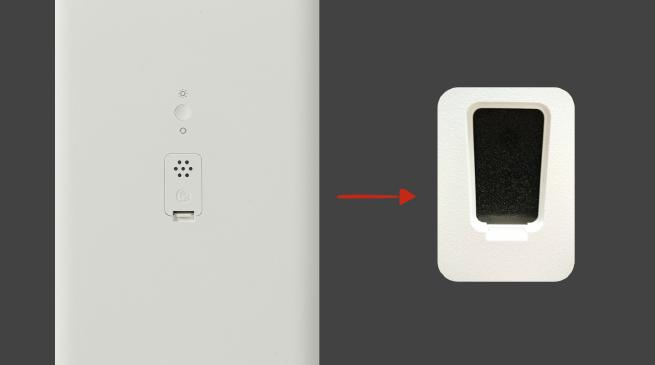
The Black Sponge
Some batch of air purifier comes with a black sponge inside the sensor cover, some asked whether the sponge needs to be removed.

Xiaomi had explained that the black sponge is to protect the purifier sensors, in order to block the dust from sticking to the sensor, you do not need to remove it.

Of course, do not panic if you do not have sponge inside your sensor cover, as Xiaomi's support team had explained, different batches are using different 
protection method, if no sponges found with your sensor, do not worry.

Thursday, 13 August 2015

Mi Air Purifier English Manual Translated by Cavarii Online Store

BY Cavarii IN , , 2 comments


We had translated the original Chinese Manual into English, for the benefits of Cavarii Online Store buyers.

 
                                                   Air Purifier Gen 1                                      Air Purifier Gen 2


If you had bought an unit of the Xiaomi Generation 1 or 2 Air purifier from us, please email to online@cavarii.com with your order number, for a copy of the translated English manual.


Sunday, 2 August 2015

Mi Air Purifier - Unboxing

BY Cavarii IN , , 5 comments


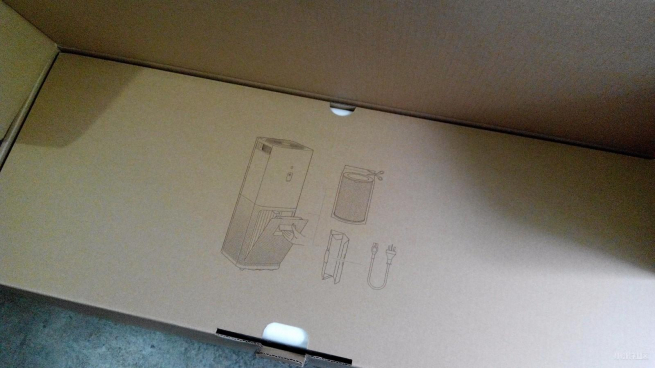
This is the packaging of the Mi Air Purifier, in the standard Mi brown paper box, the packaging measured 31 x 31 x 80cm, weight around 10kg.

After breaking the seal, you can see the packing information.

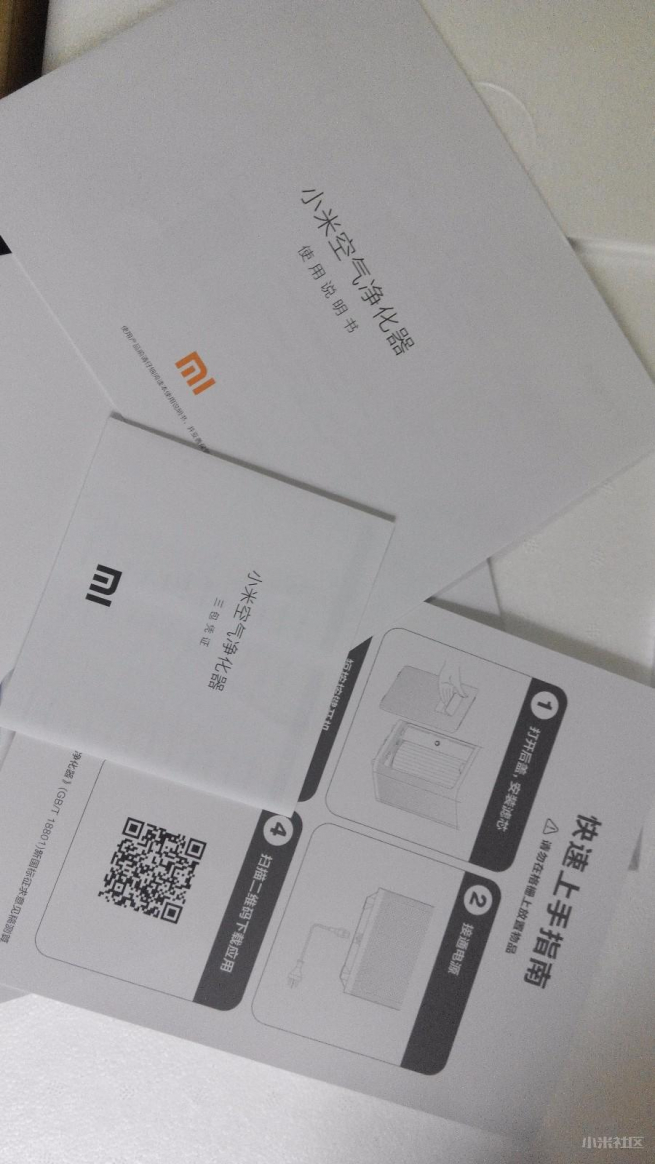
The brochures, user guides and warranty card are all packed in an envelope

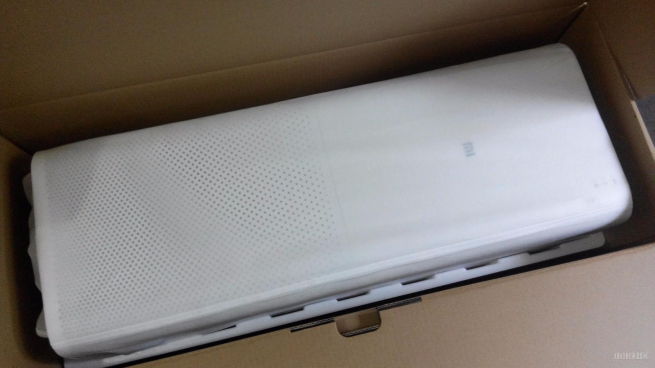
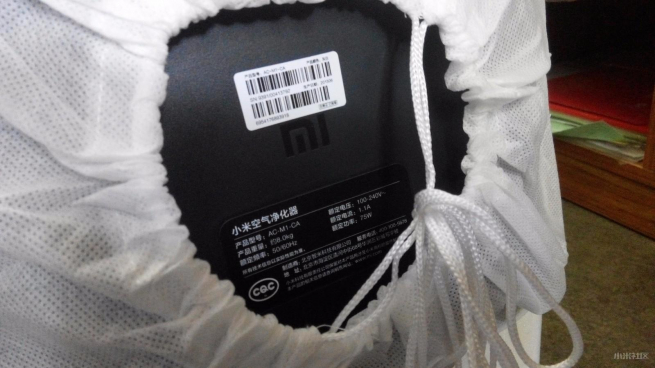
Purifier is enclosed in foam block. Take away the foam block, there is another layer bag wrapping the purifier.


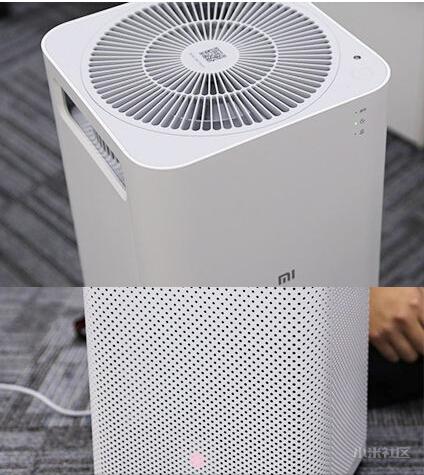
The purifier comes in a rounded rectangular body, the front with only the Mi logo, on the top side there are two bars acting as both handle and air outlet. The top is the outlet grille, on the grille lower right side is a control switch and wifi running status indicator. The far right side is the LED lamp light sensor.


The top is the outlet grille, on the grille lower right side is a control switch and wifi running status indicator. The far right side is the LED lamp light sensor.

At the side of the handle is the chamfered edge, the inside are the air through-duct.

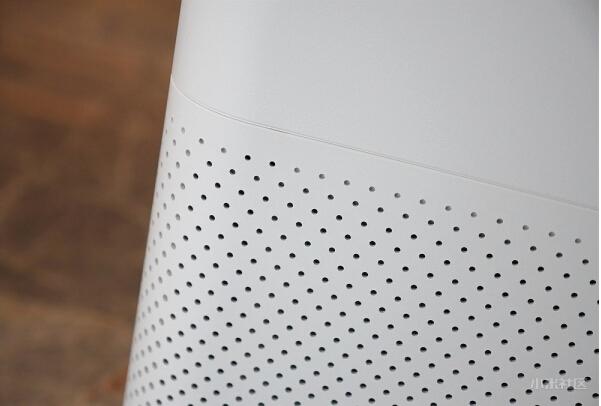
On the bottom half of the air purifier are neat mesh of air inlets, the official nominal count is 5732.


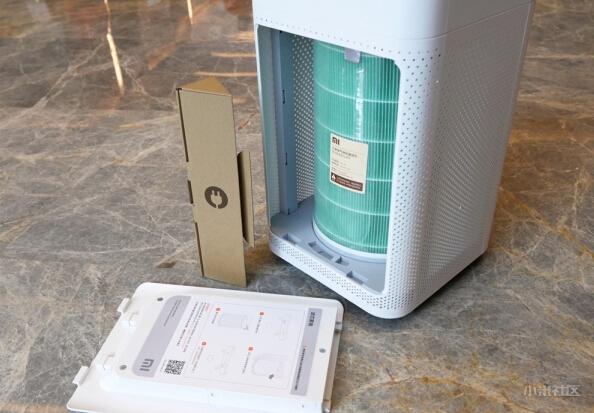
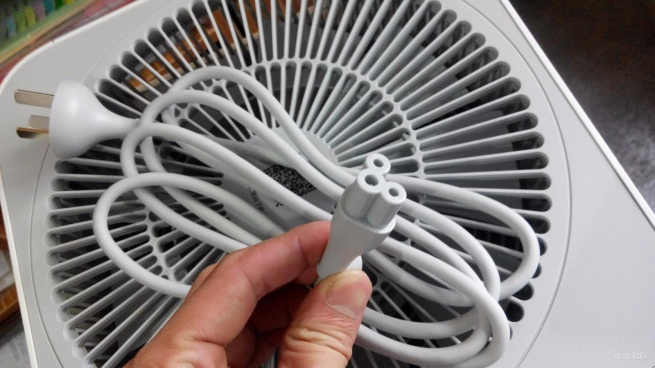
The bottom cover can be opened, the power cord is inside the triangular paper box nicely tugged in the gap between the cartridge and the housing.


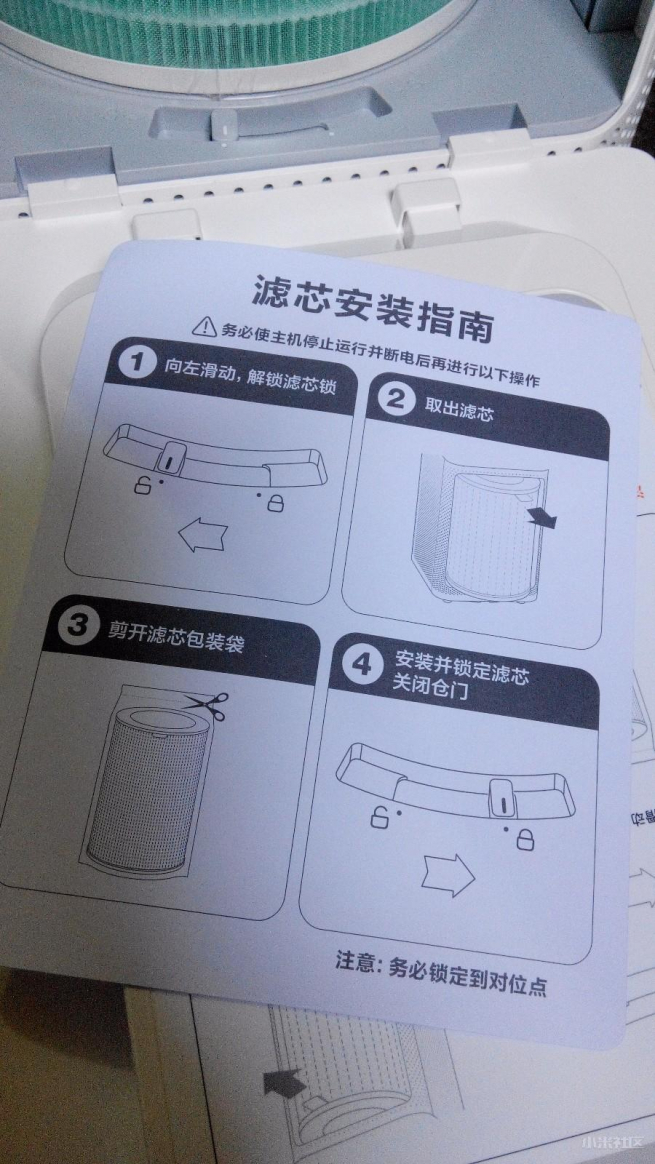
A quick installation guide for the filter.

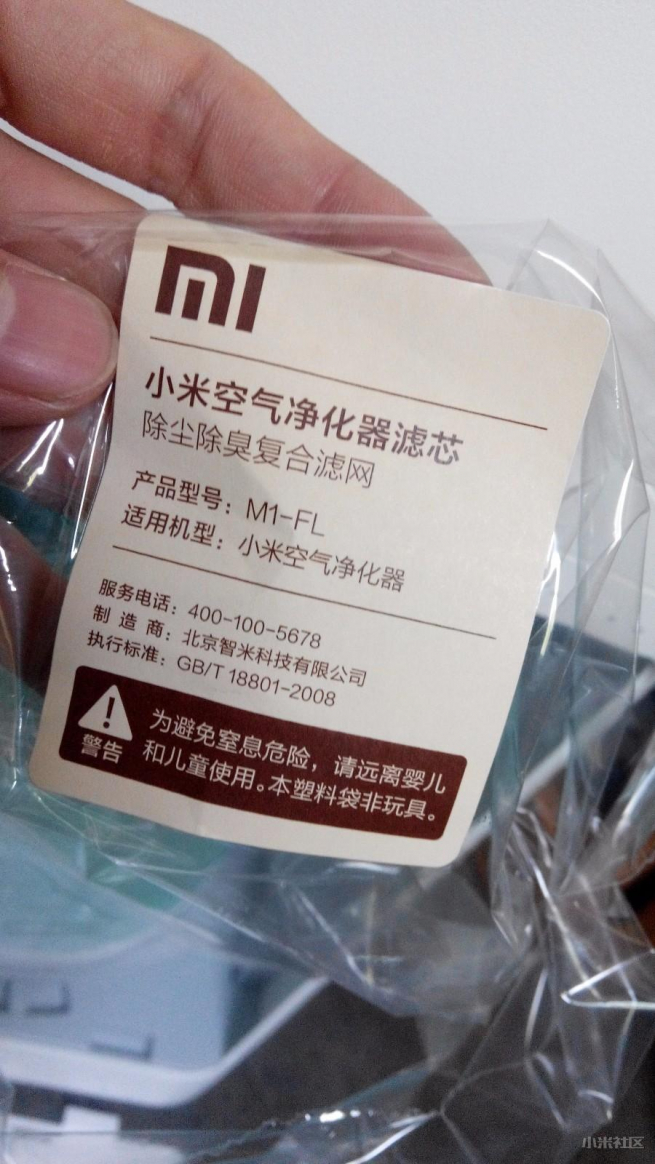
Tear off the plastic wrapping the filter, this is the label for the standard filter with model M1-FL.

The lever at the bottom can be swing to lock and unlock the filter cartridge.

This is the power cord, coming in a 3-pin plug, you may need a converter to fit into your local socket.

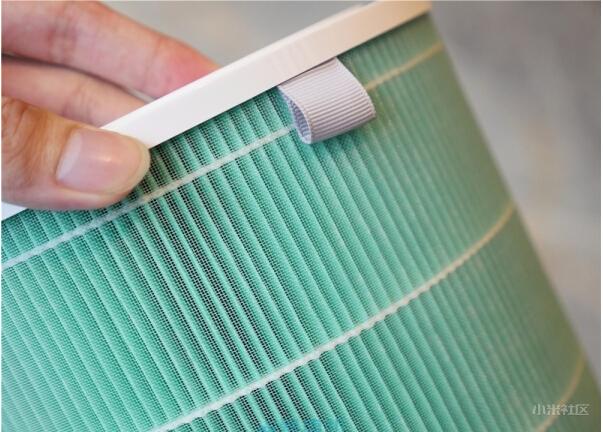
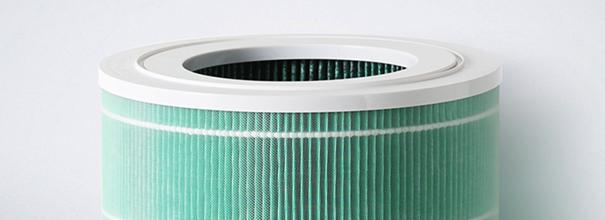
The outer layer of the filter cartridge is PET (unsaturated polyester) mesh-net, it is used to isolate the hair, fabrics, fines and other large suspended solids.

Filter mesh-net come in 161 folded 
layers, forming a blocking hollow drum. Filter is HEPA (high efficiency particulate air filter fine particles), which can be expanded to the length of 7m. For the adsorption of PM2.5, PM0.3, pollen and other particulate matter, officially declared effective filtration rate of 99.3% for PM0.3. The official specs for the coconut shell activated carbon is in the innermost layer, invisible to us...... purifier activated carbon is mainly used for adsorption of formaldehyde, benzene, ammonia and other inorganic toxic gases.


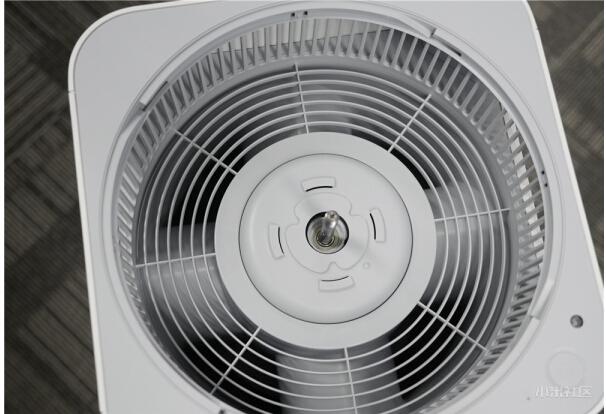
For ease of cleaning, the outlet of the fan can be opened. Turn the grill to open the top-level grille, unscrew the fan cover to remove the fan and fixed rotary vane.

Surrounding rotary vane grille are protection / isolation, at the bottom you can see the officially mentioned four air ducts.

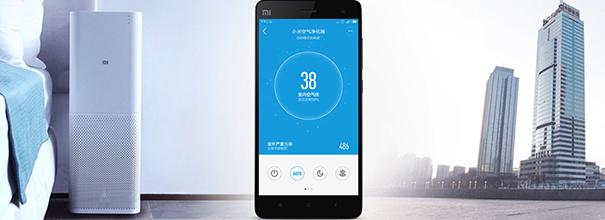
The air purifier can controlled by the app, the app's main function is the remote control switch, and understand and getting info on the surrounding air quality. Applications will be combined with the local weather forecast (although only China cities' forecast is available) and even air quality, providing recommendations to open the windows or switch on the air purifiers. 

It can also be operated without the App and can be used normally, the operation buttons on the air purifier can be toggled between "Auto, Sleep, High speed decontamination" modes, with the led light to be lit at the side to indicate the current mode.


The air purifier is in the same category of appliance / devices using the Mi Home App to manage and control, they includes the Mi Smart Socket, Yi Ants Web Cam, water purifiers etc.


Other intelligent features of the app includes filter replacement reminder, timer switch, remote switch, run-time exception alerts (blockage), automatic start (automatically turn on 
when detected the air quality is poor) and the like.

Although the main function is only purifying the air, but the additional app functions make it standout among other air purifiers in its price range.


The air purifier's area of 26 x 26 cm is slightly shorter than an A4 Paper (29.7cm), and 73.5cm in height, a little shorter than a normal desk (76cm). For good purification of air, you will need to keep a distance of 10cm between the back of the purifier and the wall and leaving a distance of 20cm from the side of the purifier and the wall.

Purification design is by a double fan that create internal negative pressure, suction from the bottom of the mesh, and forcing air through the filter from the upper part of the fan.

Official recommended usage area is 28 - 48 square meters, which will meet the needs of ordinary living room to purify the room, but for office space approaching 150 square meters, it will only filter air surround the purifier. Similar to other purifiers using activated carbon, you can smell the unique slight acidity 
charcoal at the outlet.


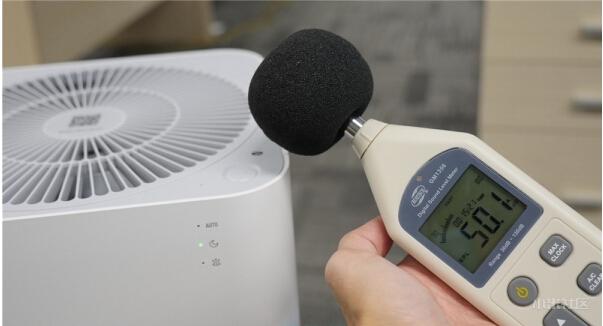
The noise produced from the lowest "Sleep" mode, with human ear listen closely nearby, is the "whirring" sound of the wind, a bit like a refrigerator, with a sound value of about 50 dB when measured by meter.

When set to the "Auto" mode, the wind volume and noise level have increased a little, maintained at between 50 - 55 dB respectively.

When set at "High-speed" mode, the volume level will go directly close to 80 dB, and indeed vibrate a bit.

May be taken into account the noise level, the high-speed mode will automatically switched to "Auto" mode after 15 minutes. When keeping at this level, it can easily reach the official target of 406 m³
 / h purification efficiency (with official spec of purification 48 m² space required 12 minutes), but having to endure this high speed fan volume. 


Six Differentiating factors for Mi Air Purifier

1) Smart phones to remote control the air purifier

Traditional air purifiers have to control its operations using the buttons located on the device. When we are away from the device, we are completely unable to control the device. After returning home after a hard days' work, we need to switch on the air purifier and wait for a while before we can get rid of the bad air. Or, after leaving the house, we suddenly remember the air purifier is not switch off, apart from the costs of electricity and affecting the mood of the day, there is no way we need to make a special trip home to switch off the air purifier!

Mi air purifier's remote control through the mobile app, complete liberated you from the device, where you can now control and access at any time. Before returning home, you can now switch on and select the rapid purification mode, and arrive home with the air fresh and natural. When away from home, you can switch on or off the device at anytime. Before sleeping at night, you can click the sleep mode through the phone, no longer need to get out of bed to switch modes. Mi air purifier is so simple to remote control.

2) Visual view of indoor air quality visualization

When you feel the air quality in the room is not good, do you know how bad it is? And whether you know whether the air quality outside the window is better than the indoor air quality? Mi air purifier has a built-in high-sensitivity detection module that not only accurately display the total amount of suspended particles in the air, but can present also the value on the mobile phone. Whether you are at home or away, you can now view the air quality anytime and anywhere.


3) Filter replacement reminder

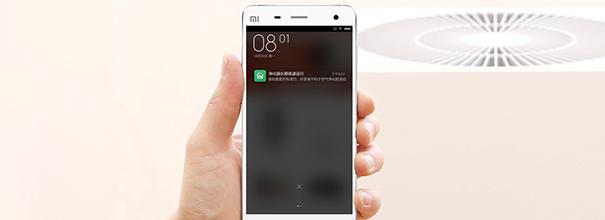
Most people do not know when to replace a new filter. Either replace early, spending unnecessary, or replace it too late, where the filter is no longer effective in purifying the air. Mi air purifier filter replacement reminder is specially designed to automatically send a reminder message through the mobile app, when the filter needs to be replaced.


4) Purifying at fixed time

If you feel a click operation is not smart enough, then you can use the more intelligent feature by using the timing function of the mobile app, where you can schedule the purifying time.
You do not need any special attention, just need to follow your habits set the timer in advance, when to switch on and when to switch  off.

5)  Automatic alert on abnormal behaviors and exceptions
If the air purifier encountered 
anomalies during operation, such as fans jammed with foreign matter, sudden increase of smoke, mi air purifiers report these abnormal situations by sending alert messages through the mobile app. To avoid deterioration of unforeseen circumstances.

6) Reminder to open the windows for ventilation for outside air
While the clean indoor purified air can always be better, but unpolluted outdoor air is closer to nature. The Mi Home app provides air quality data for major Chinese cities from China Meteorological Center. When the outdoor is a blue sky, with better quality than the indoor air, the app will send a reminder asking you to open the windows, walk into into the nature. Of course, do not worry even if the haze come back, the good quality indoor air purification is always waiting for you.

Note : This feature will only work in China, as the Mi Home App only provide air quality data for cities in China.

Saturday, 1 August 2015

Mi Air Purifier - Troubleshoot

BY Cavarii IN , 9 comments

Cannot Connect the Phone to Air Purifier - Troubleshoot

A number of users' feedback had reported that they cannot connect the Mi air purifier to the network, making them unable to control the Air Purifier using the smartphone or could not bind the mobile APP Mijia with the Air purifier, and other issues.We will troubleshoot such problems from 3 major sources, the phone, the network (router end) and the air purifier.

Note - Please choose "China" as connection region in the App settings.


a) The Phone

i) Check to see if the phone is connected to your Home / Office network

ii) Check to see if certain privileges may be disable for the "Mi Home" or Mijia APP on your phone settings;

b) The Network (Router End)

i) While Mi air purifier supports most routers, but it only supports 2.4GHz WiFi, not 5GHz;

ii) The WiFi encryption must be WPA or WPA2 (without encryption can also be connected, but not recommended for security reasons), it does not support WEP and EAP 802.1x authentication;

iii) Failure to support the needs of the page authenticated network, for example: CMCC, ChinaUnicom other public networks;

iv) Some routers may not be able to connected, so far identified router models are : TP-LINK WDR6300 (unless set up to use only 802.11b), TP-LINK WR880N (shutting down WMM may resolves);

v) Routers with advanced features set-up. like hidden SSID, disabled QOS, non DHCP settings where you need to set a static IP manually, or the router settings that requires MAC address binding may all result in not able to connect the Air Purifier to the network;

vi) Close all router wireless control for blacklists;

vii) The company intranet which had disabled port 80 or UDP may lead to not work properly with the air purifier;


viii) Does not work if you are connecting to portable USB routers;

c) The Air Purifier

Air Purifier may had been configured previously to connect to another network, or is currently connected to other network, please reset the Air Purifier WiFi settings by pressing the "Operating Mode Choice" and "Switching of Indicator" button simultaneously and hold them for 5 seconds. After you hear the beeps sound, WiFi settings is reset.


Other Commonly encountered problems

Problem 1
Mijia App displayed error message when trying to connect to the Air purifier
"No available WiFi, please check if appropriate permissions had been restricted


Resolution 1
Under phone's settings, enter the "Security Center" >> "Authorization Management" >> "Application Rights Management", open the "smart home" network-related rights, and locate permission. (Note: settings may be slightly different with different OS and model of phones)


Problem 2
Mijia APP showing "Network connection is unavailable" message, as shown in picture


Resolution 2
Open the phone's WiFi or data network and then try and make sure the network, or other similar software does not disable the "Mijia" APP network connection.

Problem 3
When Mijia app trying to connect to air purifier, APP showing  "Connection Failed" and the purifier cannot be bind, WiFi status indicator is flashing slowly.


Resolution 3
a) when connecting to WiFi, make sure password entered is correct;

b) Whether router is connected to Internet;

c) Whether routers is using a WEP or EAP 802.1x encryption, as they are not supported, please replace with WPA / WPA2 authentication and try again;


d) Currently does not support the EAP 802.1x authentication network or public WiFi network that requires web authentication on landing page;

e) Whether router is configured with hidden SSID, disabled DHCP and requires a manually assigned static IP, MAC address binding and other advanced features, making it impossible to connect, try to turn on / off the relevant function and try again;

f) whether the router is connected to a device that may had slowed down the network or router, try to restart the router and try again;g) Some of the routers may not be supported, such as: TP-LINK WDR6300 (try setting up using only 802.11b), TP-LINK WR880N (disable WMM may resolve problem), wait for a new version of the Mi Home APP and try again after the app update, you  may need to try other routers temporarily in order to use the air purifier;

g) If all of the above still cannot solve the problem, try doing a factory reset of the Air Purifer by pressing the "Operating Mode Choice" and "Switching of Indicator" button simultaneously and hold them for 5 seconds. After you hear the beeps sound, WiFi settings is reset.


Problem 4
Under the Mi Home APP, the purifier is show "offline", but the WiFi indicator on air purifier is flashing quickly


Resolution 4
a) Whether the router that the purifier is connected is working properly, OR whether the SSID connection password had been modified; 

b) Try to reset the purifier WiFi module (see step 3h above), and try to re-connect the App to the air purifier again, 


Problem 5
Under the Mi Home APP, the purifier is show "offline", but the WiFi indicator on air purifier is always on

Resolution 5
a) Check the phone network is normal, whether you can connect to the network;

b) The network where the air purifier and hand phone connected is working properly;


c) Whether the router had blocked port 80 or disabled UDP;


d) Try to reset the purifier WiFi module (see step 3h above), and try to re-connect the App to the air purifier again, 


3. The different WiFi indicator for air purifier
a) Slow flashing (approximately flashing once every 0.8 seconds): Purifier had never been connected to the router,

b) Flashing quickly (approximately flashing every 0.2 seconds): The air purifier is binded to the Mi Home app, the air purifier is in the process of connecting to a corresponding network, if the network has a fault, the quick flashing will remain; 


c) Steady : purifier is connected to a network.


Xiaomi Air Purifier demo and setting up

Thursday, 16 July 2015

Xiaomi introduces Mi Smart Water Purifier that can check real-time water quality using an app

BY Cavarii IN , , 11 comments


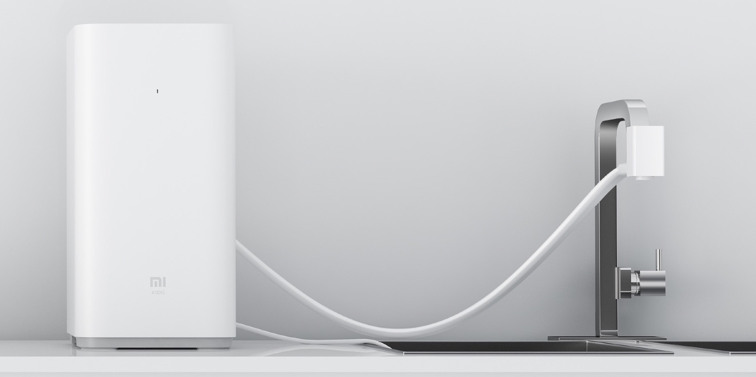
The Mi Water Purifier sits on kitchen surfaces and turns tap water into drinking water. The device is branded as being smart because it is part of Xiaomi’s Mi Home network, meaning that customers can check on its settings and recent activity, as well as get alerts when replacement filters are required.

The compact water purifier measures just 205 × 260 × 410mm. It uses Reverse Osmosis (RO) to purify water and churns 400 gallons of water in 1 day. With a total dissolved solids (TDS) value of less than 100, it turns tap water to drinking water, said the company.


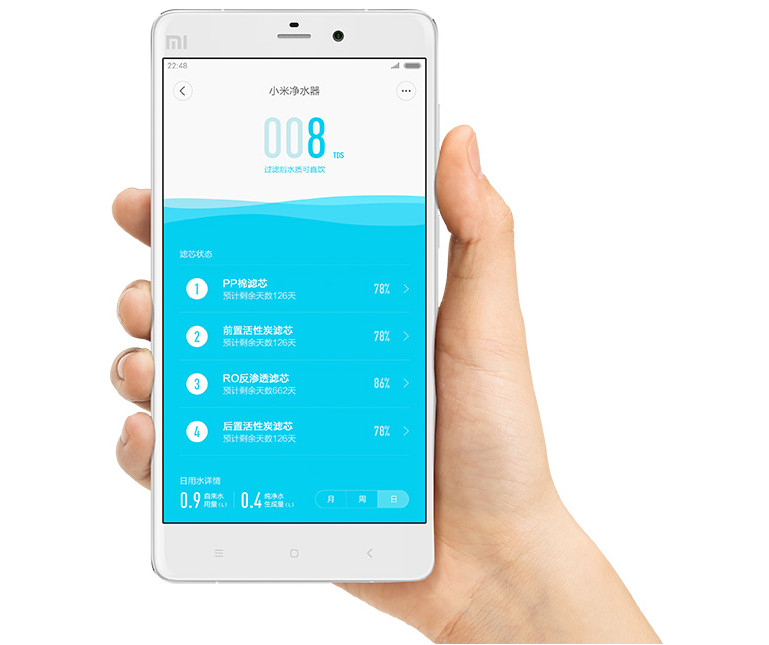
It has 4 filters – PP Cotton filter with 5 micron filter accuracy, activated coconut carbon filter to reduce discoloration, odor, chlorine taste and volatile organic compounds (VoCs), a RO membrane for 0.0001 micron filter accuracy and post-filter activated coconut carbon filter to improve the taste of water. It offers 1.0L/min water flow and 1:1 high water production rate.


Just like other Xiaomi products, this purifier can be controlled via smartphone. It has built-in WiFi support and lets you check real-time water quality using Android or iOS app. Installed app would give real-time data on the purity of the water, and also remind when it is time to change the filters. The purifier is also smaller and 8 times faster than a standard purifier. 

Detail Review

The Mi Water purifier's apparent is somewhat similar to the Mi Air Purifiers. They are rounded rectangular cylinder, but the water purifier is shorter in length, the footprint area is also a little smaller, but the overall weight is slightly heavier than the air purifier.


The  Mi Water Purifier has the "Mi" Logo on the front panel, there is a led light on the top as working indicator.

The accessories box comes with six different sizes of faucet adapter, it also comes with a removable wrench with multiple dimensions.

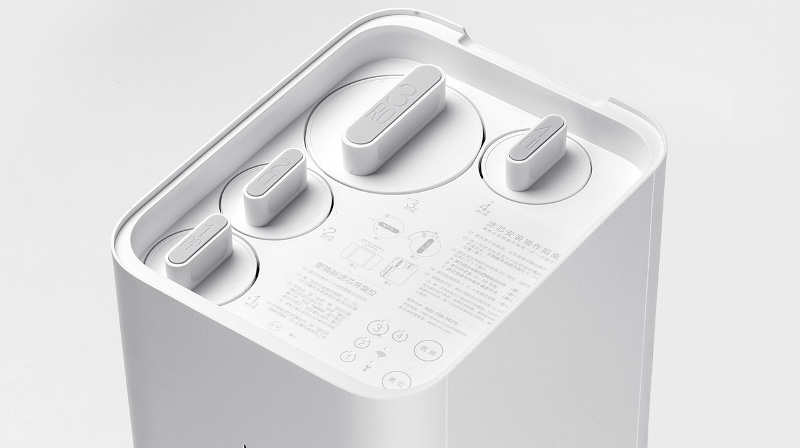
There is no fixed cover snaps, after had lifted the cover, you can see the water purifier's four filtration column.

There are detailed instructions printed below the cover, as well as four led lights for the filters, wifi and settings, on the far right are two buttons for selecting operation options.

Under the cover are instructions for phone connection and operation precautions.

Laying the water purifier on the side to look at the bottom of the ourifier, you can see the Mi Logo in the centre, and four stand padded with thick silica gel.

At the back of the air purifier is the specification plate, the rated power is 96 watts.

At the bottom of the back plate is the power cord and water duct outlet, on the left is inlet and outlet of the water co-packaged with thick tube, waste water filter pipes and power cords.

The inlet and outlet are designed in the touch faucet, you can select the top two buttons for direct tap water or filtered water.


The waste pipe is relatively small, with two suction cups attached, users can easily secure it to the appropriate location for neat piping, the details of the design is very nice.

Inside the machine is four column filter with different thicknesses, all labeled with numbers and names, there are very detailed specifications.

The internal structure of the four filter cartridges.

The infamous four layers 5 to 11 three-dimensional water pipe parts.


With access to pipeline valve member use.
Touch Faucet

Built-in power adapter, a separate power adapter ......

Filtration pump

Controller board

On top of the air purifier is the status indicator, speakers, and buttons, all are placed on a separate additional circuit board.

Note - The above review was translated from original article - http://news.xinhuanet.com/info/2015-07/20/c_134426990_3.htm